
As students returned to campus for the fall 2026 semester, they were met with several changes,
including a new way to access class schedules, transcripts and other important academic
information.
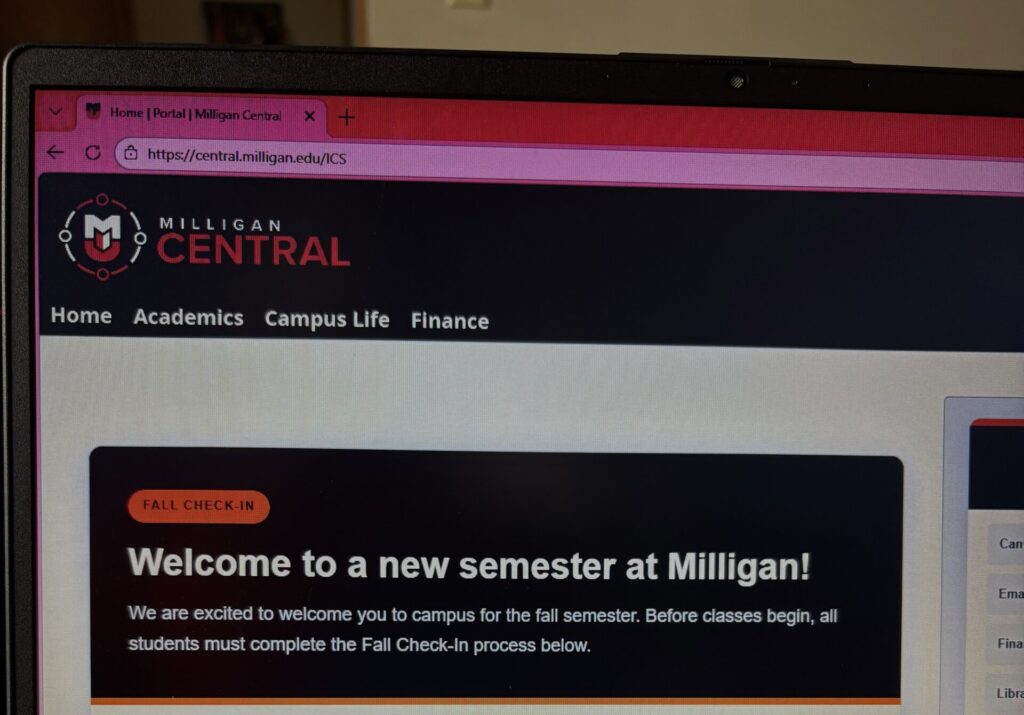
Milligan Central is the new student portal for Jenzabar One, a system adopted by the university
to replace Self-Service through PowerCAMPUS. Although the system was released in early
August, students and staff are still adjusting to the changes.
Returning student Adrianna Piascik said she found it difficult to navigate the new site when she
first logged in. She said she wished the university had provided an in-person demonstration once
students returned to campus to show them how to use the new system.
Associate Dean for Academic Administration and Registrar Stacy Dahlman said that while
everyone is working with a new system, adapting to it will take time.
“Navigating new processes can be challenging,” Dahlman said. “Read instructions carefully,
check your email regularly throughout the semester, and don’t hesitate to ask questions!”
What is available?
Students still adjusting may find it easier to start at Milligan Central’s main page. From there,
students can access useful resources such as Canvas, email and financial aid.
Milligan Central allows students to complete semester check-ins, view course registration and
scheduling, find course book information, access grade reports and transcripts and view billing
information. Students can also access parking information and Family Educational Rights and
Privacy Act authorizations.
Amanda Bristol, associate vice president of information technology (IT), explained that the
system was designed for students to navigate Milligan Central on their phones and their
computers.
Bristol recommends students access Canvas through Milligan Central rather than searching for it
on a web browser to avoid reaching a site that is not connected to Milligan. Milligan Central
provides a direct link to Milligan’s Canvas site.
Students will face another change when registration begins for the spring 2027 semester. With
this transition, registration will now take place through Milligan Central.
Dahlman said the Registrar’s Office received few questions after releasing the instructions for
accessing schedules and transcripts but received some questions about FERPA authorizations
because the form changed formats this semester.
Students having trouble navigating these features can use the university’s instructional guide for
accessing academic functions in Milligan Central.
View the Milligan Central Guide [PDF]
Stay on the lookout for new instructions
Students should frequently check their Milligan email as the university continues to introduce
new features in Milligan Central.
Students do not yet have access to everything. Dahlman said faculty and staff are still undergoing
training, but additional communication options will be phased in gradually over the next year
and beyond.
The new communication features are expected to reduce students’ reliance on email for
academic requests.
Dahlman said students will eventually be able to submit requests through Milligan Central for
tasks such as requesting entry into a closed section or seeking an override for a prerequisite
rather than relying on email.
Bristol said additional tools and features will continue to be introduced in Milligan Central,
including features for work-study employees.
New advising tools to help students stay on track
Milligan Central will provide an additional tool for students to track their academic progress
toward graduation.
Students who entered Milligan in fall 2026 or later, along with their advisers, will have access to
an advising worksheet report.
In the past, students and advisors relied on Excel worksheets provided by the Registrar’s Office.
With Milligan Central, students will be able to access their advising worksheets at any time.
The university plans to roll out the worksheets midway through the fall semester in preparation
for spring registration, according to Dahlman.
Ask for help when needed
Students experiencing problems with Milligan Central should contact the IT Help Desk. Bristol
said IT encountered issues during the transition because some students enrolled while
information was being moved between systems. She believes those issues have since been
resolved.
Both students and staff have been learning a new system. Staff members from across campus
have been working for about 18 months with representatives from Jenzabar to move data from
PowerCAMPUS and Self-Service to Jenzabar and Milligan Central.
“The time spent mapping data, refining processes and making decisions proved challenging at
times,” Dahlman said. “After a long period of preparation, we are excited to see our hard work
come to fruition.”
It may take time for students to get accustomed to Milligan Central, but starting at the site’s main
page, checking Milligan email for new instructions and asking for help when needed can make
the change easier.
Photo: Milligan Central on web browser (Photo Credit: Mollie Johnson)
By: Mollie Johnson